OpenZhenZhen AI Prompt Gallery · gpt-image-2.5 · image
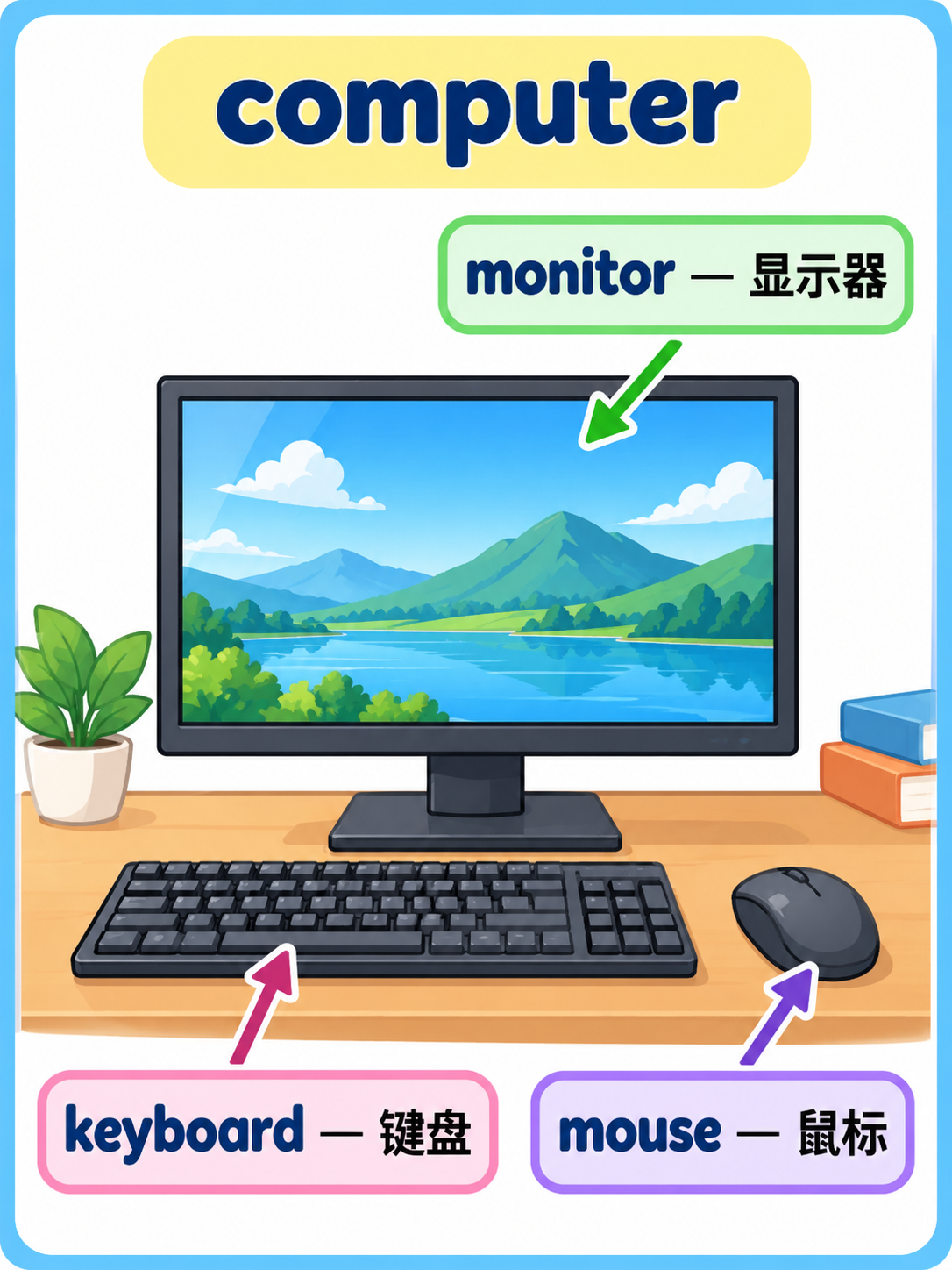
Themed Bilingual English-Chinese Vocabulary Flashcards
Themed Bilingual English-Chinese Vocabulary Flashcards — explore this gpt-image-2.5 creation on OpenZhenZhen, with its original prompt and a reusable generation example.
Prompt
Chinese prompt
设计一张3:4竖幅的英语学习闪卡,主题为“computer”。在画面中央绘制一幅简洁、清楚、与主题直接相关的彩色说明插图;围绕中央图安排三个相关部件或元素,并以清晰箭头从词条指向插图中对应位置。三个词条必须逐字准确写为:keyboard — 键盘; mouse — 鼠标; monitor — 显示器,每项先英文、后简体中文释义,配对明确、易读且不重复。采用明亮友好的教育图卡风格、整齐网格、充足留白和高对比文字,确保主题插图与标签互不遮挡。仅显示主题“computer”及指定的三组双语词汇,不添加其他标题、句子、拼音、品牌或水印;不得编造第四个词条。
English prompt
Design a 3:4 vertical English-learning flashcard about “computer”. Draw a clear, simple, colorful explanatory illustration directly related to the theme in the center. Arrange three related parts or elements around it, using clean arrows from each vocabulary label to its corresponding location in the illustration. Render these three vocabulary pairs exactly as written: keyboard — 键盘; mouse — 鼠标; monitor — 显示器. For every item, show the English word first followed by its Simplified Chinese meaning; keep each pair unambiguous, legible and unique. Use a bright friendly educational-card style, tidy grid, generous whitespace and high-contrast type so the illustration and labels never overlap. Show only the theme “computer” and the specified three bilingual vocabulary pairs. Add no other title, sentence, pinyin, brand or watermark, and do not invent a fourth vocabulary item.
Explore more AI image and video prompts · Try image generation · Try video generation · Create on the AI canvas
Related works
- Original Image and Handmade Paper Art Illustration Two-Panel Poster
Original Image and Handmade Paper Art Illustration Two-Panel Poster — explore this gpt-image-2.5 creation on OpenZhenZhen, with its original prompt and a reusable generation example.
- Bai Suzhen Y2K Millennium Street Fashion Poster
Bai Suzhen Y2K Millennium Street Fashion Poster — explore this gpt-image-2.5 creation on OpenZhenZhen, with its original prompt and a reusable generation example.
- Snowy Portrait in Ice-Blue Impasto Strokes
Snowy Portrait in Ice-Blue Impasto Strokes — explore this gpt-image-2.5 creation on OpenZhenZhen, with its original prompt and a reusable generation example.
- Photo Subject Steps onto the Warm Shadow-Puppet Screen
Photo Subject Steps onto the Warm Shadow-Puppet Screen — explore this gpt-image-2.5 creation on OpenZhenZhen, with its original prompt and a reusable generation example.
- Full-body portrait in blue-and-white starry relief
Full-body portrait in blue-and-white starry relief — explore this gpt-image-2.5 creation on OpenZhenZhen, with its original prompt and a reusable generation example.
- New Chinese-style portrait in a bamboo-shadowed tea courtyard
New Chinese-style portrait in a bamboo-shadowed tea courtyard — explore this gpt-image-2.5 creation on OpenZhenZhen, with its original prompt and a reusable generation example.