OpenZhenZhen AI Prompt Gallery · gpt-image-2.5 · image
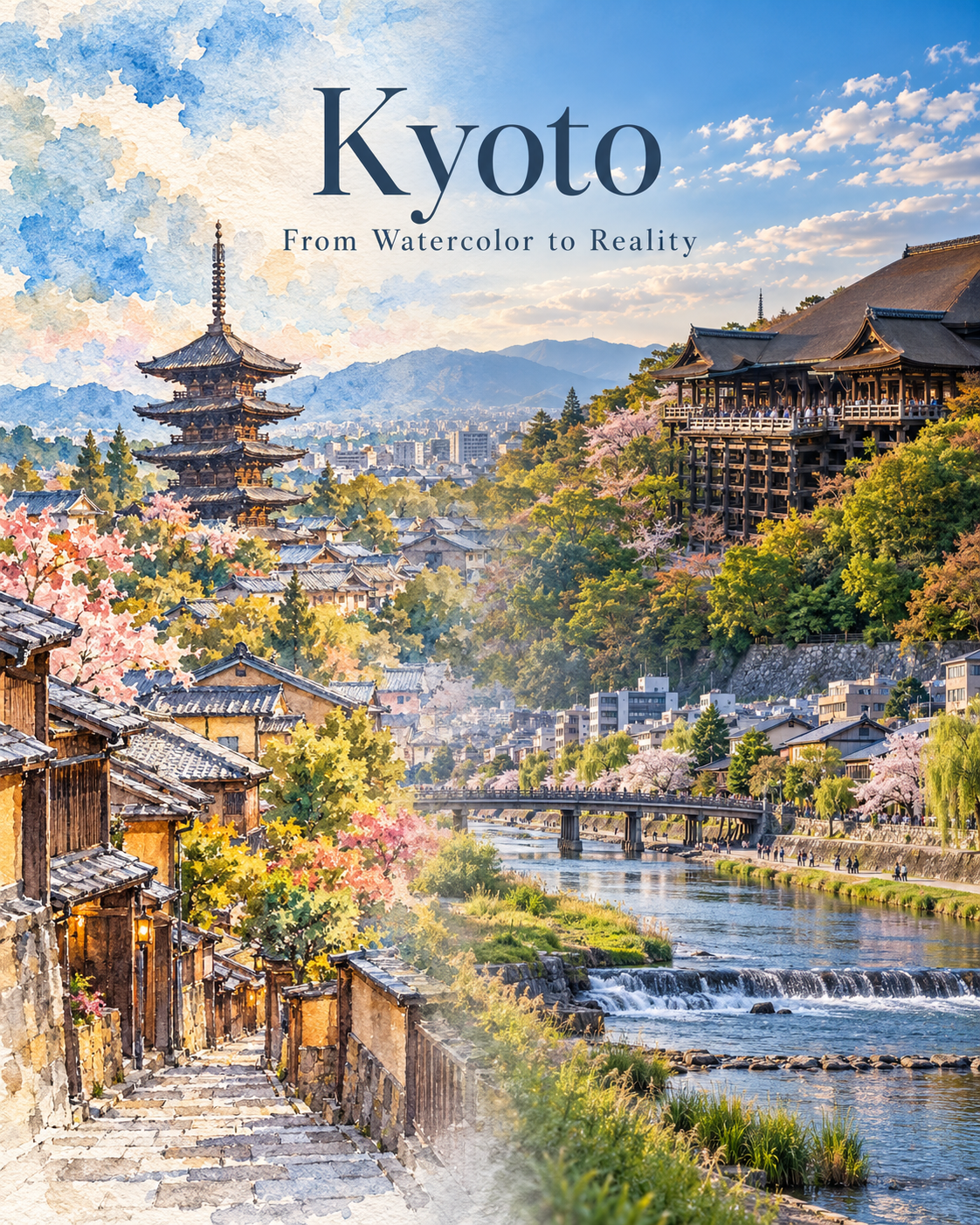
Watercolor gradients turning into a real city poster
Watercolor gradients turning into a real city poster — explore this gpt-image-2.5 creation on OpenZhenZhen, with its original prompt and a reusable generation example.
Prompt
Chinese prompt
为Kyoto创作一张竖版4:5满版城市海报。展现同一座城市的连续空间:左侧三分之一为细节丰富的写实水彩,中部以柔和无缝的材质过渡带衔接,右侧三分之一呈现清晰现代的城市摄影质感。水彩区域须有可辨认的建筑形态与空间纵深,并保留纸纹、颜料晕染和笔触;摄影区域采用自然光与清晰可信的细节。将Kiyomizu-dera, Yasaka Pagoda, and the Kamo River作为协调的一组地标呈现,确保它们合理地属于Kyoto,保持可辨认轮廓与正确环境关系,不虚构或挪置地标。采用天空蓝、城市灰、植被绿和水蓝为主色,仅加入克制的暖色高光。构图铺满、平衡、雅致,不要硬切、拼贴边缘、大面积空白纸面、卡通感或旅游宣传页式杂乱装饰。画面只叠加准确的城市标题“Kyoto”与副标题“From Watercolor to Reality”,使用克制易读的字体。不得出现其他文字、乱码、标志或水印。
English prompt
Create a single vertical 4:5 full-bleed city poster for Kyoto. Show one continuous view of the same place transforming from detailed realistic watercolor on the left third, through a soft seamless material transition in the center, into clear contemporary city photography on the right third. The watercolor side must contain recognizable built form and spatial depth, with visible paper grain, pigment blooms and brushwork; the photographic side has natural light and crisp but believable detail. Represent Kiyomizu-dera, Yasaka Pagoda, and the Kamo River as a coherent group that plausibly belongs to Kyoto; preserve recognizable silhouettes and correct relative context, and do not invent or relocate landmarks. Use a clean palette of sky blue, urban gray, vegetation green and water blue with restrained warm highlights. Keep the composition full, balanced and elegant, with no hard split, collage edge, large blank paper field, cartoon look or tourist-brochure clutter. Overlay only the exact city title 'Kyoto' and subtitle 'From Watercolor to Reality' in restrained readable typography. No other text, gibberish, logos or watermark.
Explore more AI image and video prompts · Try image generation · Try video generation · Create on the AI canvas
Related works
- Original Image and Handmade Paper Art Illustration Two-Panel Poster
Original Image and Handmade Paper Art Illustration Two-Panel Poster — explore this gpt-image-2.5 creation on OpenZhenZhen, with its original prompt and a reusable generation example.
- Bai Suzhen Y2K Millennium Street Fashion Poster
Bai Suzhen Y2K Millennium Street Fashion Poster — explore this gpt-image-2.5 creation on OpenZhenZhen, with its original prompt and a reusable generation example.
- Snowy Portrait in Ice-Blue Impasto Strokes
Snowy Portrait in Ice-Blue Impasto Strokes — explore this gpt-image-2.5 creation on OpenZhenZhen, with its original prompt and a reusable generation example.
- Photo Subject Steps onto the Warm Shadow-Puppet Screen
Photo Subject Steps onto the Warm Shadow-Puppet Screen — explore this gpt-image-2.5 creation on OpenZhenZhen, with its original prompt and a reusable generation example.
- Full-body portrait in blue-and-white starry relief
Full-body portrait in blue-and-white starry relief — explore this gpt-image-2.5 creation on OpenZhenZhen, with its original prompt and a reusable generation example.
- New Chinese-style portrait in a bamboo-shadowed tea courtyard
New Chinese-style portrait in a bamboo-shadowed tea courtyard — explore this gpt-image-2.5 creation on OpenZhenZhen, with its original prompt and a reusable generation example.