OpenZhenZhen AI プロンプトギャラリー · gpt-image-2.5 · image
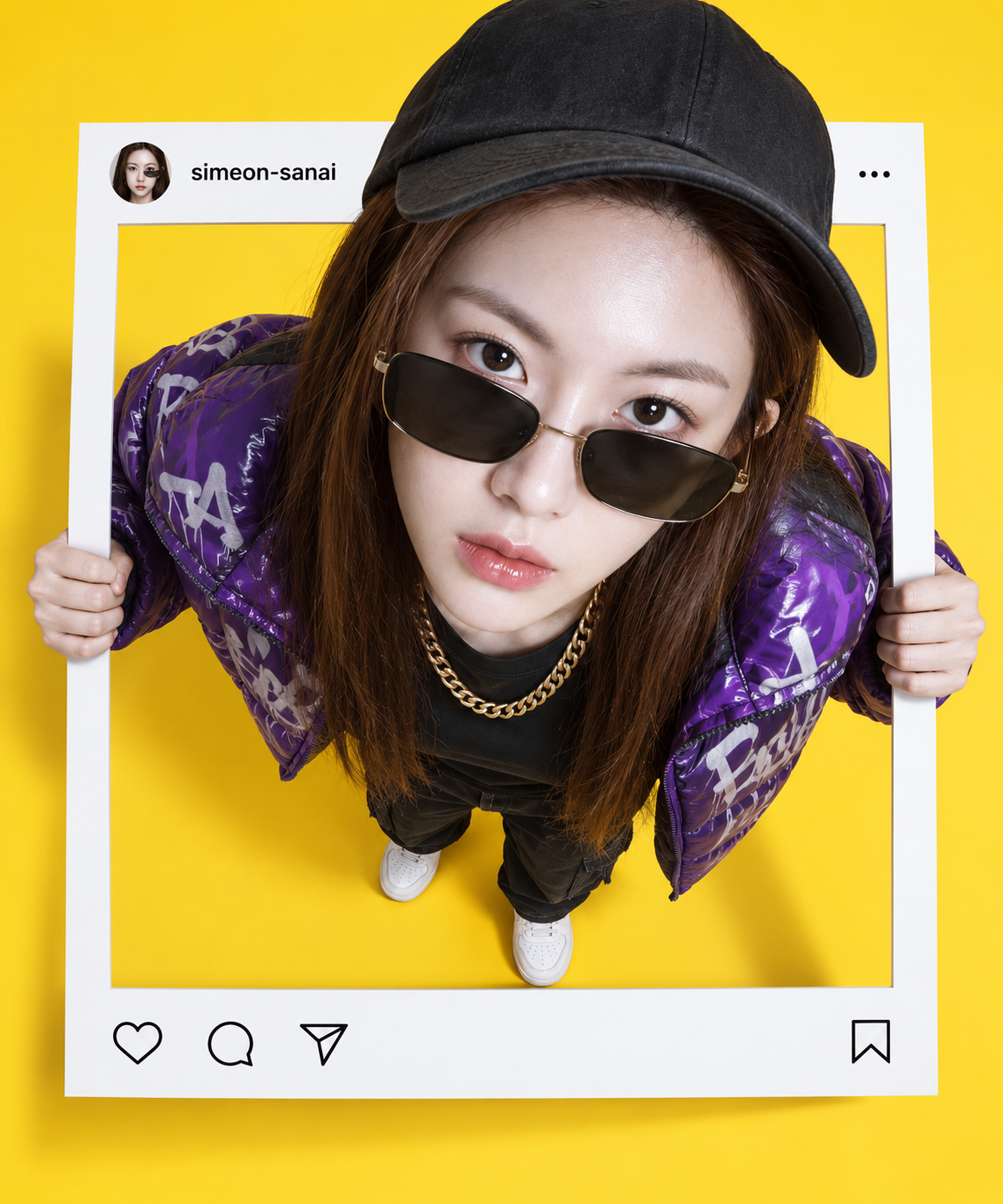
Instagramの投稿フレームから飛び出す人物たち
Figures Breaking Out of Instagram Post Frames
「Instagramの投稿フレームから飛び出す人物たち」は gpt-image-2.5 を使用した作品です。OpenZhenZhen で元のプロンプトと生成例を確認し、創作の参考にできます。
プロンプト
中国語プロンプト
创作一幅照片级真实感的透视合成图,仅使用与已配置参考 ref-10a-v1 相符的人物。人物站立并从笔直、界面简洁克制的 Instagram 帖子边框中破壁而出:双手抓住两侧边缘,上半身伸出边框平面,并以真实投影连接人物与边框。采用高俯视角,仅对人物应用强烈的 10mm 鱼眼效果;边框保持笔直且不受变形,从而形成头部较大、身体较小的视觉效果。人物自信地向上凝视,穿着紫色涂鸦风格羽绒夹克、黑色T恤、金项链、白色运动鞋、太阳镜和黑色帽子。可见地面设为明亮纯黄色。叠加简洁克制的 Instagram 风格帖子界面,并准确显示账号名“simeon-sanai”;界面清晰易读,不添加额外文案或通知。明确呈现平面帖子边框与探出上半身之间的纵深,并使用可信的接触阴影,完成精致的照片合成效果。不要其他人物、无关标志、水印或未要求的文字。
英語プロンプト
Create a photorealistic forced-perspective composite using only the person matching configured reference ref-10a-v1. Show the person standing and breaking out through a straight {{frame_ui}}: both hands grip its side edges, the upper body extends beyond the frame plane, and realistic cast shadows connect the person to the frame. Use a high top-down viewpoint and apply {{lens_effect}} so the head appears larger and the body smaller, without bending or distorting the frame. Give the subject a confident upward gaze and dress them in {{outfit}}. Set the visible floor to {{floor_color}}. Add a clean, minimal Instagram-style post overlay with the exact account handle “{{account_handle}}”; keep the interface restrained and legible, with no extra copy or notifications. Preserve clear depth between the flat post frame and the emerging upper body, with believable contact shadows and a polished photo-composite finish. No additional people, unrelated logos, watermark or unrequested text.
画像・動画プロンプトをもっと見る · 画像を生成 · 動画を生成 · AI キャンバスで作成
関連作品
- 光と影の境界に立つゴシック風の女性肖像
「光と影の境界に立つゴシック風の女性肖像」は gpt-image-2.5 を使用した作品です。OpenZhenZhen で元のプロンプトと生成例を確認し、創作の参考にできます。
- 成人日本女性の一日九宮格ライフ図
「成人日本女性の一日九宮格ライフ図」は gpt-image-2.5 を使用した作品です。OpenZhenZhen で元のプロンプトと生成例を確認し、創作の参考にできます。
- ネガティブスペース叙事の紙質感PPTビジュアルシステム
「ネガティブスペース叙事の紙質感PPTビジュアルシステム」は gpt-image-2.5 を使用した作品です。OpenZhenZhen で元のプロンプトと生成例を確認し、創作の参考にできます。
- ミルクピンクのヨガウェア 大人女性ファッション図鑑ポスター
「ミルクピンクのヨガウェア 大人女性ファッション図鑑ポスター」は gpt-image-2.5 を使用した作品です。OpenZhenZhen で元のプロンプトと生成例を確認し、創作の参考にできます。
- 雪晴れの冬、貴婦人の肖像
「雪晴れの冬、貴婦人の肖像」は gpt-image-2.5 を使用した作品です。OpenZhenZhen で元のプロンプトと生成例を確認し、創作の参考にできます。
- ベージュの廊下に立つデニム姿の成人女性の全身肖像
「ベージュの廊下に立つデニム姿の成人女性の全身肖像」は gpt-image-2.5 を使用した作品です。OpenZhenZhen で元のプロンプトと生成例を確認し、創作の参考にできます。