OpenZhenZhen AI プロンプトギャラリー · gpt-image-2.5 · image
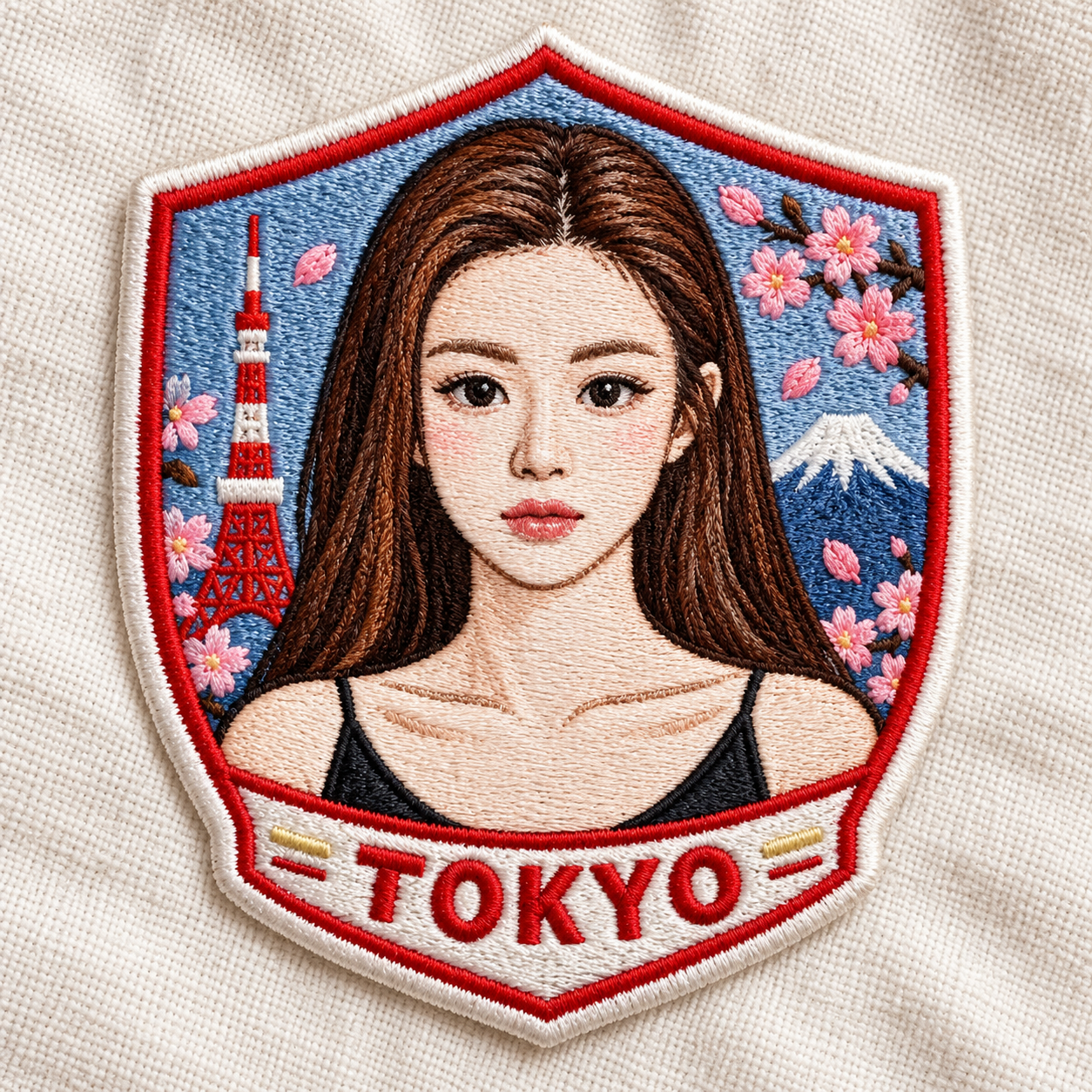
都市をテーマにした刺繍パッチのスクエア商品写真
Urban Embroidery Patch Square Product Photo
「都市をテーマにした刺繍パッチのスクエア商品写真」は gpt-image-2.5 を使用した作品です。OpenZhenZhen で元のプロンプトと生成例を確認し、創作の参考にできます。
プロンプト
中国語プロンプト
创作一张近景、1:1正方形的刺绣贴片产品照片,贴片设计取材于提供的图像。将原图主要主体转化为干净、讨喜的卡通刺绣,同时保留其可辨认特征;若画面中有人物,其身份须与ref-10a-v1一致。贴片采用盾形轮廓,以丰富立体的线绣纹理和鲜明整洁的针脚呈现。通过边缘或少量装饰针线,融入日本东京国旗色彩的灵感点缀;不要将贴片变成完整旗帜。添加精确的大写刺绣文字“TOKYO”,可沿柔和弧线或直线排列。贴片放在柔和的米白色布料上,以自然光展现织物纹理、针脚和立体层次。最终画面保持正方形,不要添加其他字样或无关物体。
英語プロンプト
Create a close-up square 1:1 product photograph of an embroidered patch inspired by the supplied image. Translate its main subject into a clean, charming cartoon-style embroidery while preserving recognizable defining features; if a person is visible, keep that person's identity consistent with ref-10a-v1. Use a shield-shaped patch silhouette, with rich dimensional thread texture and vibrant, neatly stitched colors. Represent Tokyo, Japan through small accents inspired by its national colors, such as the border or a few decorative stitches; do not turn the patch into a full flag. Add the exact uppercase embroidered lettering "TOKYO" along a gentle curve or straight baseline. Place the patch on soft off-white fabric and use natural light that reveals the weave, stitching and depth. Keep the final image square, with no extra lettering or unrelated objects.
画像・動画プロンプトをもっと見る · 画像を生成 · 動画を生成 · AI キャンバスで作成
関連作品
- 東洋芸術展ポスターテーマテンプレート
「東洋芸術展ポスターテーマテンプレート」は gpt-image-2.5 を使用した作品です。OpenZhenZhen で元のプロンプトと生成例を確認し、創作の参考にできます。
- クリムゾンスタジオ:ワインレッドのスーツを着た南アジア女性のファッションエディトリアル
「クリムゾンスタジオ:ワインレッドのスーツを着た南アジア女性のファッションエディトリアル」は gpt-image-2.5 を使用した作品です。OpenZhenZhen で元のプロンプトと生成例を確認し、創作の参考にできます。
- ヨル・フォージャー · 窓辺でボタンを外す · 控えめなレンブラント
「ヨル・フォージャー · 窓辺でボタンを外す · 控えめなレンブラント」は Moss Image を使用した作品です。OpenZhenZhen で元のプロンプトと生成例を確認し、創作の参考にできます。
- 金魚のガラス急須 · スチームパンク
「金魚のガラス急須 · スチームパンク」は Moss Image を使用した作品です。OpenZhenZhen で元のプロンプトと生成例を確認し、創作の参考にできます。
- キルア=ゾルディック · 雨の路地のスライド · 金色の逆光
「キルア=ゾルディック · 雨の路地のスライド · 金色の逆光」は Moss Image を使用した作品です。OpenZhenZhen で元のプロンプトと生成例を確認し、創作の参考にできます。
- 大人の中東系女性天文学者 · ドーム開放 · 金色の逆光
「大人の中東系女性天文学者 · ドーム開放 · 金色の逆光」は Moss Image を使用した作品です。OpenZhenZhen で元のプロンプトと生成例を確認し、創作の参考にできます。