OpenZhenZhen AI 프롬프트 갤러리 · gpt-image-2.5 · image
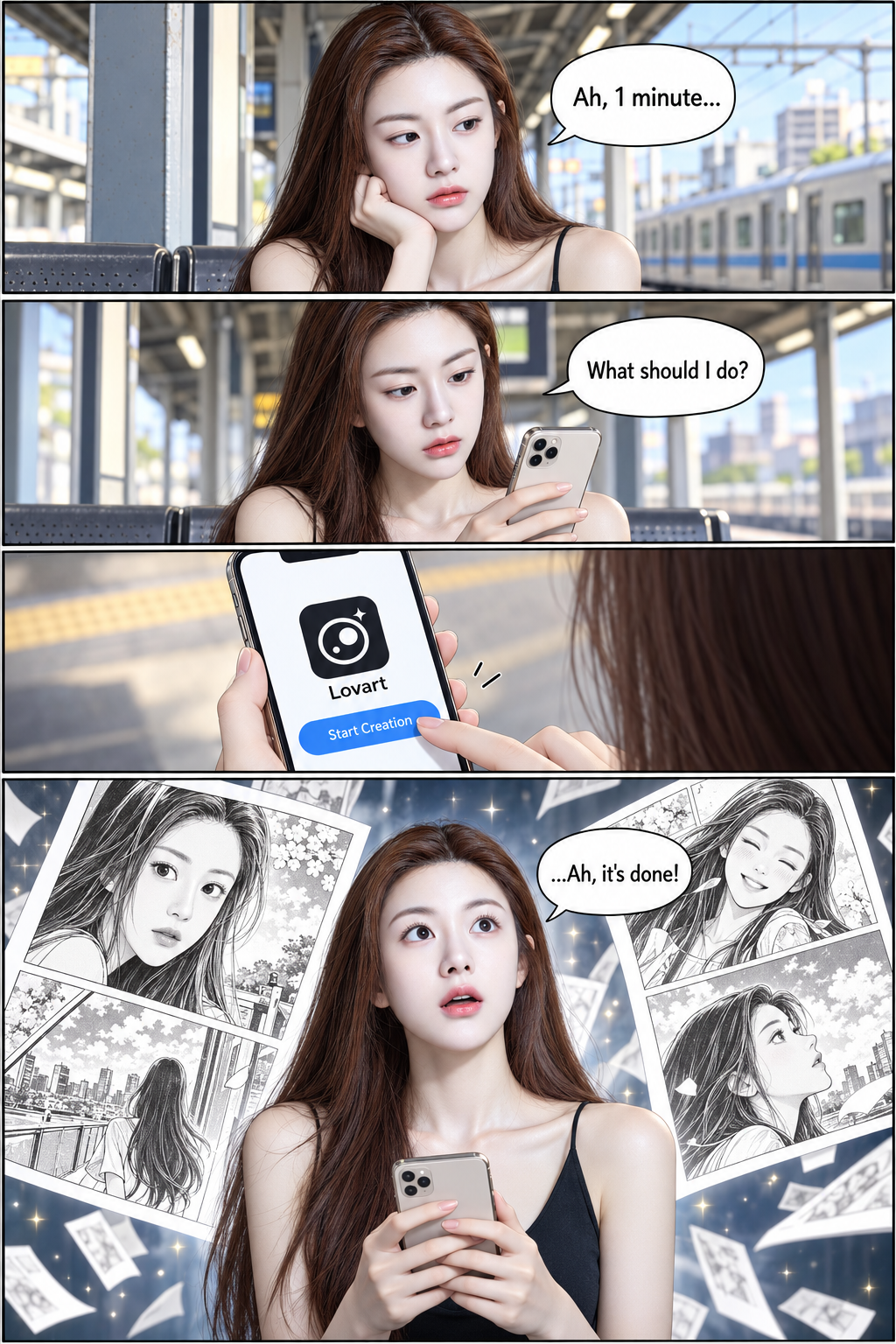
출퇴근길에 스마트폰으로 네 컷 만화 그리기
Creating a Four-Panel Comic on My Phone During My Commute
‘출퇴근길에 스마트폰으로 네 컷 만화 그리기’은(는) gpt-image-2.5로 만든 작품입니다. OpenZhenZhen에서 원본 프롬프트와 생성 예시를 살펴보고 새로운 창작에 활용해 보세요.
프롬프트
중국어 프롬프트
创作一页全彩四格漫画,使用配置身份参考 ref-10a-v1 描绘一位明确成年的女性,并在每格中保持主角面部与身份一致。采用竖幅四格页面,第四格大于前面每一格。第1格:她在车站候车,神情无聊,并准确说出:“啊,还有1分钟……”。第2格:她拿出智能手机,并准确说出:“我该做点什么呢?”。第3格:画出她拿着手机;屏幕显示一个简洁应用图标,图标下方准确写着“Lovart”,并有清晰可读的“开始创作”按钮。她点击该按钮。第4格:让这一格占用的面积大于前面每一格。她拿着手机,惊讶地抬头望去,自己创作的黑白漫画出现在她周围;她准确说出:“……啊,完成了!”。保持连贯的漫画视觉风格、富有表现力且易读的面部、清晰分格和可辨认的对白气泡/界面文字。第4格中的主角作品为黑白漫画,但整页四格采用全彩。不要添加未指定的对白或界面标签,也不要额外人物、标志、水印或无关文字。
영어 프롬프트
Create a full-color four-panel manga page using configured identity reference ref-10a-v1 for one clearly adult woman; keep the protagonist's face and identity consistent in every panel. Use a vertical four-panel page with the fourth panel larger than each of the first three. Panel 1: She waits at a train station with a bored expression and says exactly, “Ah, 1 minute...”. Panel 2: She takes out her smartphone and says exactly, “What should I do?”. Panel 3: Show her holding the phone; its screen displays a simple app icon with the exact label “Lovart” beneath it and a clearly legible “Start Creation” button. She taps that button. Panel 4: Give this final panel more area than each of the first three. She holds the phone and looks upward in surprise as the black-and-white manga she created appears around her; she says exactly, “...Ah, it's done!”. Maintain a coherent manga visual style, expressive readable faces, clear panel separation and legible speech bubbles/UI text. The protagonist-created comics in panel 4 are monochrome while the overall four-panel page is full color. Do not add dialogue or UI labels beyond those specified, and include no extra characters, logos, watermark or unrelated text.
더 많은 이미지·동영상 프롬프트 보기 · 이미지 생성 · 동영상 생성 · AI 캔버스에서 만들기