OpenZhenZhen AI 프롬프트 갤러리 · gpt-image-2.5 · image
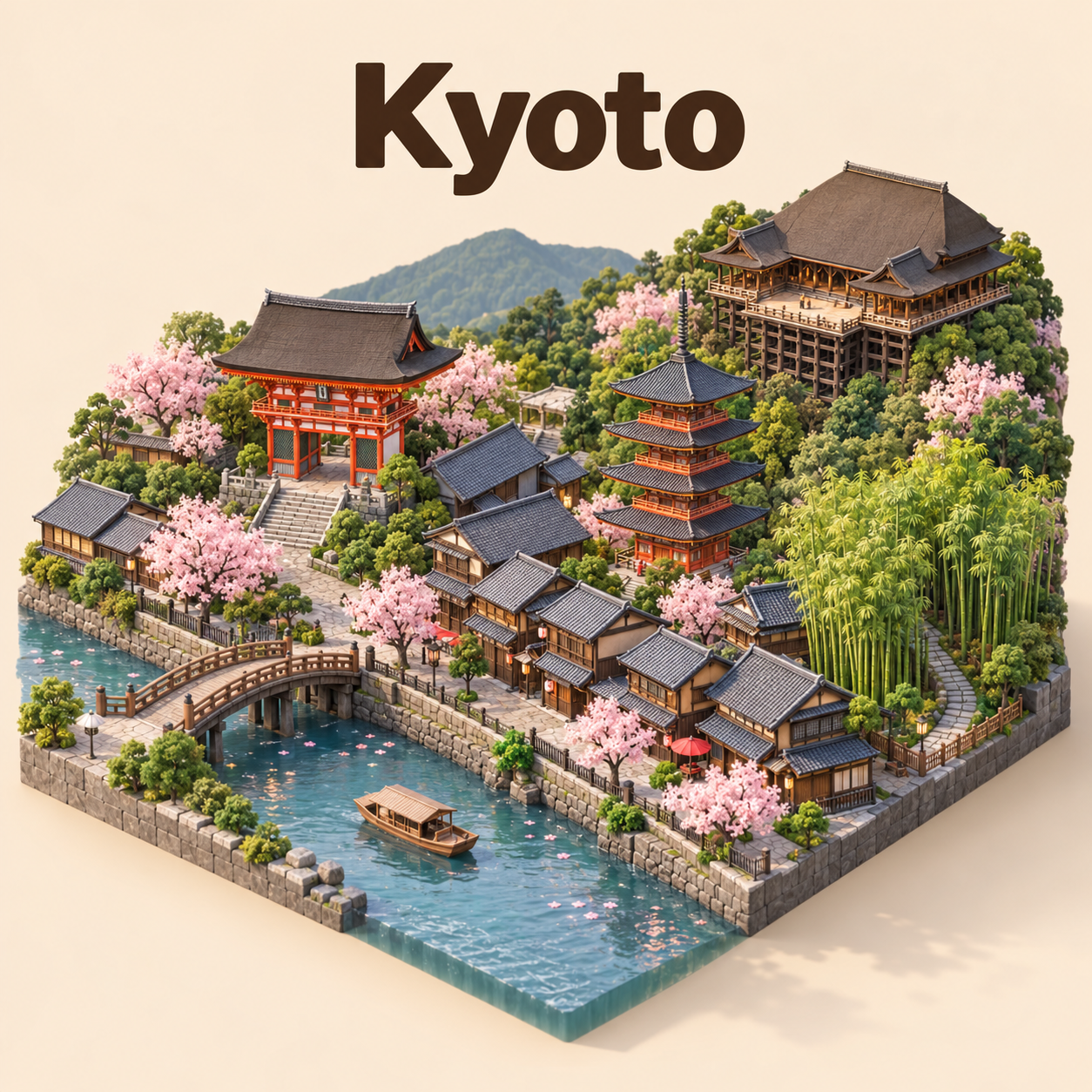
등각 투영 미니어처 도시 날씨 카드
Isometric Miniature City Weather Cards
‘등각 투영 미니어처 도시 날씨 카드’은(는) gpt-image-2.5로 만든 작품입니다. OpenZhenZhen에서 원본 프롬프트와 생성 예시를 살펴보고 새로운 창작에 활용해 보세요.
프롬프트
중국어 프롬프트
创作一张简洁的正方形1:1等距微缩3D卡通城市场景,主体为Kyoto,采用清晰的45度俯视角。精选少量连贯且具有代表性的城市地标与建筑形态,以细腻柔和的纹理、逼真的PBR质感、自然柔光和真实柔和阴影呈现。仅当提供时,才将相应天气氛围融入场景;否则使用中性、晴朗的环境光。画面顶部居中以醒目粗体显示城市名“Kyoto”。仅当非空时显示醒目的匹配天气图标和天气状况;仅当、各自非空时,才分别显示日期和温度。绝不推断或编造当前天气、日期或温度。空白字段应整洁省略,并保持信息区间距均衡。采用柔和纯色背景,让微缩城市保持视觉焦点;不添加额外标签、标志或水印。1:1表示画面比例,不承诺精确像素尺寸。
영어 프롬프트
Create a clean square 1:1 isometric miniature 3D cartoon scene of Kyoto, viewed from above at a clear 45-degree angle. Feature a small, coherent selection of the city’s best-known landmarks and architectural forms, rendered with refined soft textures, realistic PBR-like materials, gentle natural lighting and lifelike soft shadows. Use a weather-matched atmosphere only when is provided; otherwise use neutral clear atmospheric lighting. At the top center, set the city name “Kyoto” in large bold type. Add a prominent weather icon and condition only when is non-empty; add the date “” and temperature “” only when each corresponding value is non-empty. Never infer or fabricate current weather, dates or temperatures. Omit each blank field cleanly and keep spacing balanced. Use a soft solid-color background; keep the miniature city as the visual focus with no extra labels, logos or watermark. Treat 1:1 as the aspect ratio, not a promise of exact pixel dimensions.
더 많은 이미지·동영상 프롬프트 보기 · 이미지 생성 · 동영상 생성 · AI 캔버스에서 만들기
관련 작품
- 레트로 모텔 수영장
‘레트로 모텔 수영장’은(는) Moss Image로 만든 작품입니다. OpenZhenZhen에서 원본 프롬프트와 생성 예시를 살펴보고 새로운 창작에 활용해 보세요.
- 황혼의 수국
‘황혼의 수국’은(는) Moss Image로 만든 작품입니다. OpenZhenZhen에서 원본 프롬프트와 생성 예시를 살펴보고 새로운 창작에 활용해 보세요.
- 카카시 플랫 벡터 표지판 × 피규어 질감
‘카카시 플랫 벡터 표지판 × 피규어 질감’은(는) gat image2.5로 만든 작품입니다. OpenZhenZhen에서 원본 프롬프트와 생성 예시를 살펴보고 새로운 창작에 활용해 보세요.
- 플랫 벡터 표지판 × 실물 피규어 질감
‘플랫 벡터 표지판 × 실물 피규어 질감’은(는) gat image2.5로 만든 작품입니다. OpenZhenZhen에서 원본 프롬프트와 생성 예시를 살펴보고 새로운 창작에 활용해 보세요.
- 플랫 벡터 표지판 × 실물 피규어 질감
‘플랫 벡터 표지판 × 실물 피규어 질감’은(는) gat image2.5로 만든 작품입니다. OpenZhenZhen에서 원본 프롬프트와 생성 예시를 살펴보고 새로운 창작에 활용해 보세요.
- 레트로 하이웨이 패션
‘레트로 하이웨이 패션’은(는) Moss Image로 만든 작품입니다. OpenZhenZhen에서 원본 프롬프트와 생성 예시를 살펴보고 새로운 창작에 활용해 보세요.