OpenZhenZhen AI 프롬프트 갤러리 · gpt-image-2.5 · image
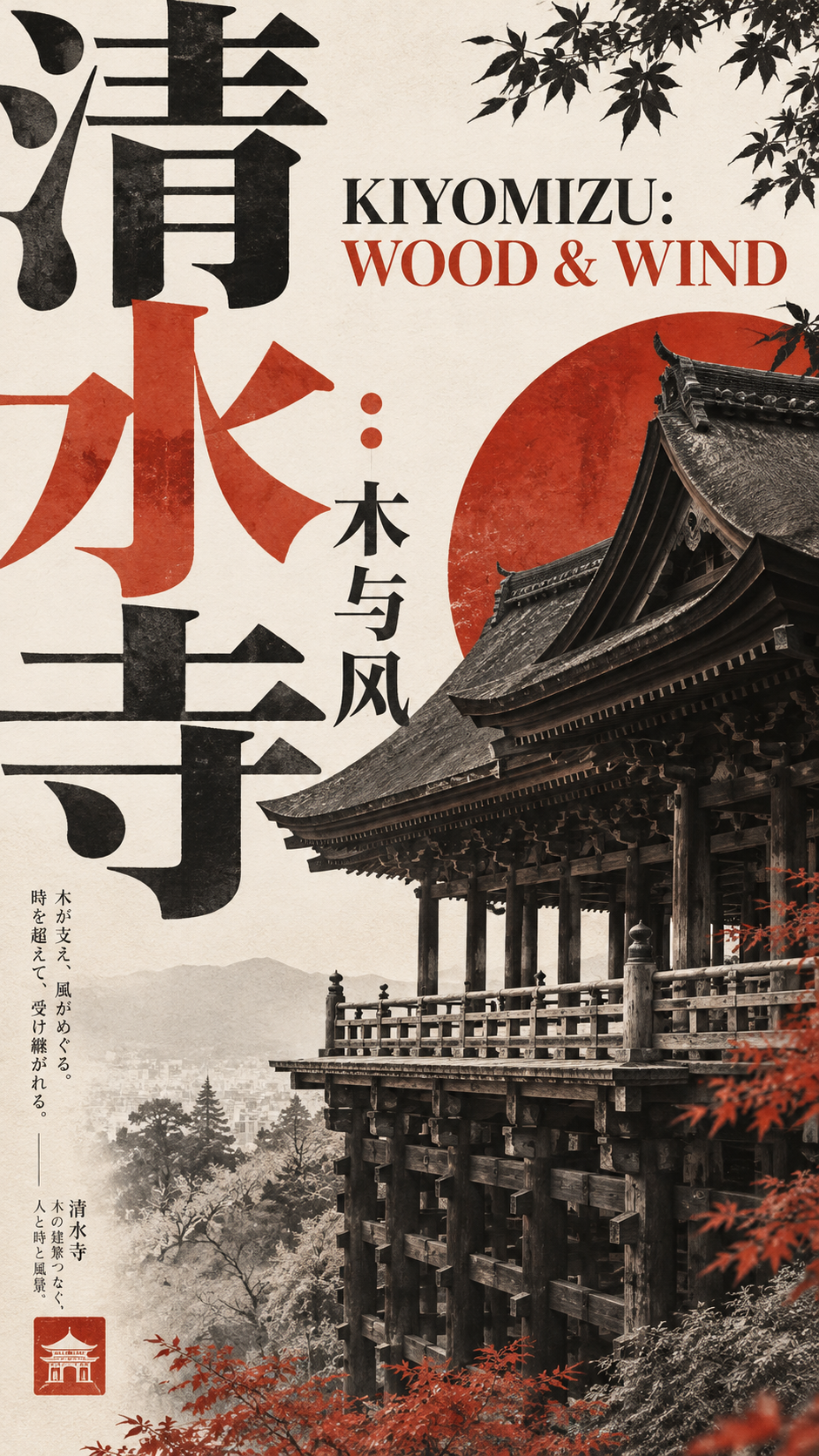
일본 미술관 문화 출판물 포스터 프롬프트
Japanese Art Museum Cultural Publication Poster Prompt
‘일본 미술관 문화 출판물 포스터 프롬프트’은(는) gpt-image-2.5로 만든 작품입니다. OpenZhenZhen에서 원본 프롬프트와 생성 예시를 살펴보고 새로운 창작에 활용해 보세요.
프롬프트
중국어 프롬프트
创作一张关于Kiyomizu-dera and the craft of Japanese timber architecture、以the timber stage and interlocking rooflines of Kiyomizu-dera为核心的成熟日式美术馆与文化出版物风格社论图文海报。准确呈现中文标题“清水寺:木与风”和英文标题“KIYOMIZU: WOOD & WIND”。版式机制采用giant title architecture interweaving with the temple silhouette,主色系为warm ivory and charcoal black,强调色为vermilion red,信息密度为locally concentrated, rich but orderly,画幅为9:16 vertical。把提供的主题与文字视为指定内容,不要编造额外事实。 不要套用固定的“标题+图片+信息栏”模板。根据所选版式机制建立鲜明的视觉动作,让排版、图像、色块和主体真正参与同一构图。字体必须成为结构:标题可以极度放大、出血裁切、错位、跨越区域,或被主体遮挡、反过来压住主体。让建筑或器物图像进入字形负空间,在字与图之间形成穿插、遮挡和清晰的前后层次。建立巨大标题、一个有力的非人物主体与极小微型文字之间的强烈尺度反差,不要让所有文字字号相近。 大胆裁切图像,不必完整展示。根据主题使用相关的非人物素材,例如档案建筑摄影、传统绘画局部、器物、植物或其他合适的物件。仅保留一个最强主体和一个核心构图冲突;不要出现人物。日期、短副题和微型注释应局部集中在边缘、色块、字形或主体附近,不要均匀铺开;避免卡片式界面。 配色控制在2至4个主要色系。传统图像可与荧光粉、朱红、橙、青绿、黑白形成大胆对比;也可采用大面积单色场,只保留极少主体与文字。允许轻微纸张纹理、印刷套色感或手作痕迹,但不要严重做旧、脏污或噪点化。最终效果应像经过艺术指导的日式文化海报:图文关系大胆、版式个性鲜明、信息丰富而有序,并形成独立视觉动作,而不是重复模板。 避免普通的上标题下图片布局、规则网格、卡片式界面、PPT式信息模块、左右对称、主体完全居中、无意义英文、随机乱码、过度CG、廉价复古滤镜、01 / 02 / Vol.之类编号、四角星芒和闪光符号。准确、清晰地呈现指定的中英文标题。
영어 프롬프트
Create a mature Japanese museum and cultural-publication editorial graphic poster about Kiyomizu-dera and the craft of Japanese timber architecture, centered on the timber stage and interlocking rooflines of Kiyomizu-dera. Use the exact Chinese title "清水寺:木与风" and English title "KIYOMIZU: WOOD & WIND". Set the composition mechanism to giant title architecture interweaving with the temple silhouette, the main color system to warm ivory and charcoal black, accent color to vermilion red, information density to locally concentrated, rich but orderly, and canvas to 9:16 vertical. Treat the supplied topic and text as the intended content; do not invent additional facts. Do not apply a fixed title-plus-image-plus-information-bar template. Establish a distinctive visual action from the chosen layout mechanism so typography, imagery, color fields and subject truly participate in one composition. Typography is structural: titles may be dramatically enlarged, cropped at the edge, offset, cross zones, or be obscured by or press against the subject. Let architectural or object imagery enter the negative space of glyphs to create interweaving, occlusion and clear front-to-back layers between words and images. Establish strong scale contrast between a giant title, one powerful non-person subject, and tiny microtype; do not make all type similar in size. Crop imagery boldly; a complete display is not required. Use culturally relevant non-person materials such as archival architecture photography, details of traditional paintings, artifacts, plants or other objects suited to the theme. Keep one strongest subject and one central compositional conflict; do not show people. Concentrate dates, a short subtitle and micro-annotations locally along an edge, color field, glyph or subject instead of distributing them evenly. Avoid card UI. Control the palette to two to four principal color families. Traditional imagery may contrast with fluorescent pink, vermilion, orange, cyan, black and white; alternatively use a broad monochrome field with minimal subject and text. Allow slight paper texture, print overprint or handmade marks, but no heavy aging, grime or noisy pixelation. The result should feel like an art-directed Japanese cultural poster: bold image-text relationships, an individual layout and rich but orderly information, with its own visual action rather than a repeated template. Avoid ordinary title-above-image layouts, regular grids, card UI, presentation-style information modules, bilateral symmetry, fully centered subjects, meaningless English, gibberish, excessive CGI, cheap vintage filters, numbering such as 01 / 02 / Vol., four-pointed starbursts and sparkles. Render the supplied titles accurately and legibly.
더 많은 이미지·동영상 프롬프트 보기 · 이미지 생성 · 동영상 생성 · AI 캔버스에서 만들기