OpenZhenZhen AI 프롬프트 갤러리 · gpt-image-2.5 · image
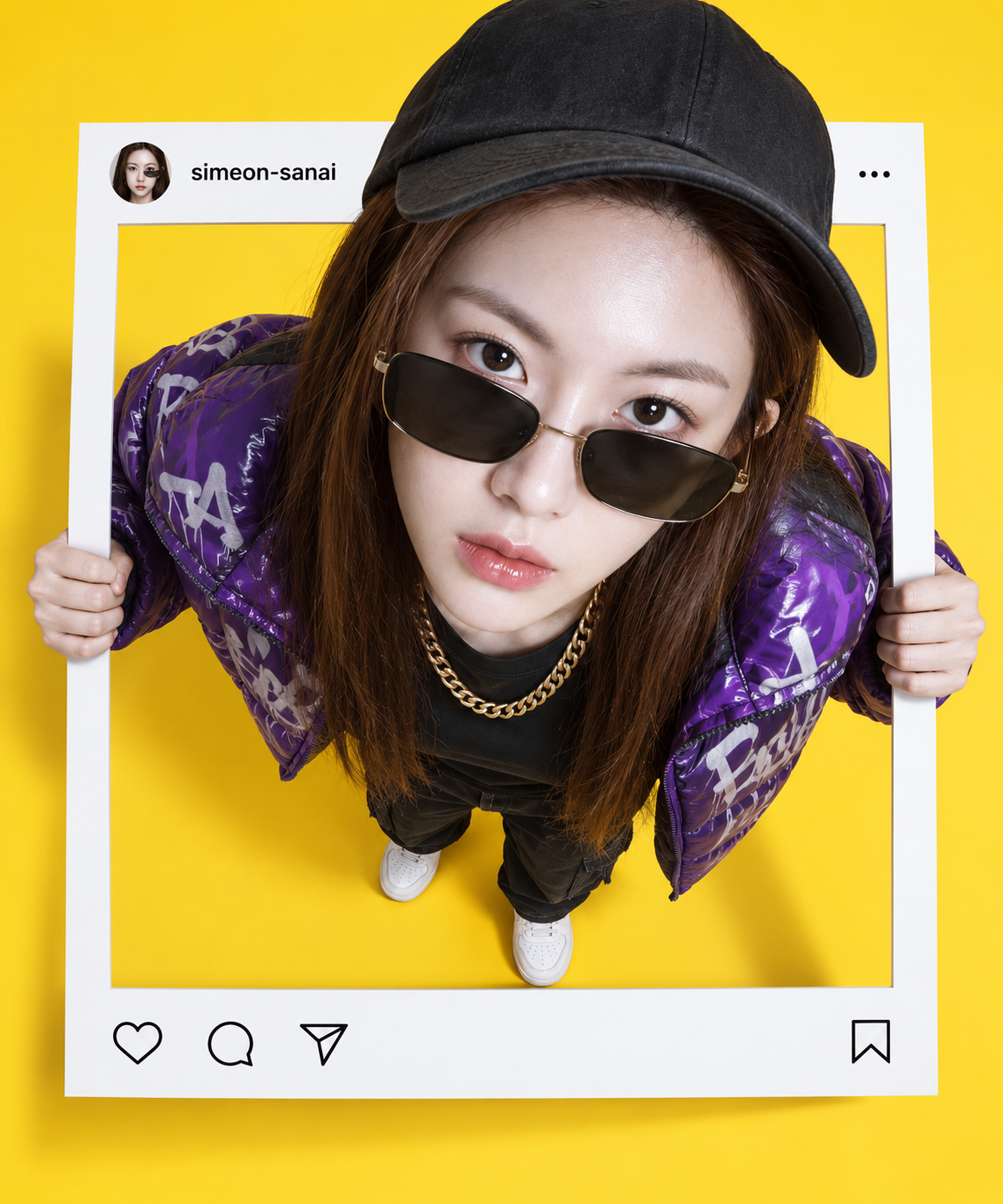
인스타그램 게시물 프레임을 뚫고 나오는 인물들
Figures Breaking Out of Instagram Post Frames
‘인스타그램 게시물 프레임을 뚫고 나오는 인물들’은(는) gpt-image-2.5로 만든 작품입니다. OpenZhenZhen에서 원본 프롬프트와 생성 예시를 살펴보고 새로운 창작에 활용해 보세요.
프롬프트
중국어 프롬프트
创作一幅照片级真实感的透视合成图,仅使用与已配置参考 ref-10a-v1 相符的人物。人物站立并从笔直、界面简洁克制的 Instagram 帖子边框中破壁而出:双手抓住两侧边缘,上半身伸出边框平面,并以真实投影连接人物与边框。采用高俯视角,仅对人物应用强烈的 10mm 鱼眼效果;边框保持笔直且不受变形,从而形成头部较大、身体较小的视觉效果。人物自信地向上凝视,穿着紫色涂鸦风格羽绒夹克、黑色T恤、金项链、白色运动鞋、太阳镜和黑色帽子。可见地面设为明亮纯黄色。叠加简洁克制的 Instagram 风格帖子界面,并准确显示账号名“simeon-sanai”;界面清晰易读,不添加额外文案或通知。明确呈现平面帖子边框与探出上半身之间的纵深,并使用可信的接触阴影,完成精致的照片合成效果。不要其他人物、无关标志、水印或未要求的文字。
영어 프롬프트
Create a photorealistic forced-perspective composite using only the person matching configured reference ref-10a-v1. Show the person standing and breaking out through a straight {{frame_ui}}: both hands grip its side edges, the upper body extends beyond the frame plane, and realistic cast shadows connect the person to the frame. Use a high top-down viewpoint and apply {{lens_effect}} so the head appears larger and the body smaller, without bending or distorting the frame. Give the subject a confident upward gaze and dress them in {{outfit}}. Set the visible floor to {{floor_color}}. Add a clean, minimal Instagram-style post overlay with the exact account handle “{{account_handle}}”; keep the interface restrained and legible, with no extra copy or notifications. Preserve clear depth between the flat post frame and the emerging upper body, with believable contact shadows and a polished photo-composite finish. No additional people, unrelated logos, watermark or unrequested text.
더 많은 이미지·동영상 프롬프트 보기 · 이미지 생성 · 동영상 생성 · AI 캔버스에서 만들기
관련 작품
- 빈 교실 칠판에 그린 오리지널 모험가 분필화
‘빈 교실 칠판에 그린 오리지널 모험가 분필화’은(는) gpt-image-2.5로 만든 작품입니다. OpenZhenZhen에서 원본 프롬프트와 생성 예시를 살펴보고 새로운 창작에 활용해 보세요.
- 레트로 밤바람 속 차창 너머의 인물
‘레트로 밤바람 속 차창 너머의 인물’은(는) gpt-image-2.5로 만든 작품입니다. OpenZhenZhen에서 원본 프롬프트와 생성 예시를 살펴보고 새로운 창작에 활용해 보세요.
- 소프트 핑크 아이돌 스타일 성인 여성 클로즈업 초상
‘소프트 핑크 아이돌 스타일 성인 여성 클로즈업 초상’은(는) gpt-image-2.5로 만든 작품입니다. OpenZhenZhen에서 원본 프롬프트와 생성 예시를 살펴보고 새로운 창작에 활용해 보세요.
- 종이 공예 미니어처 풍경으로 펼쳐지는 팝업북 일러스트
‘종이 공예 미니어처 풍경으로 펼쳐지는 팝업북 일러스트’은(는) gpt-image-2.5로 만든 작품입니다. OpenZhenZhen에서 원본 프롬프트와 생성 예시를 살펴보고 새로운 창작에 활용해 보세요.
- 비 내리는 밤 고가도로 벤치의 네온 인물
‘비 내리는 밤 고가도로 벤치의 네온 인물’은(는) gpt-image-2.5로 만든 작품입니다. OpenZhenZhen에서 원본 프롬프트와 생성 예시를 살펴보고 새로운 창작에 활용해 보세요.
- 햇살 비치는 나무 산책로 위 아이스 말차 클로즈업
‘햇살 비치는 나무 산책로 위 아이스 말차 클로즈업’은(는) gpt-image-2.5로 만든 작품입니다. OpenZhenZhen에서 원본 프롬프트와 생성 예시를 살펴보고 새로운 창작에 활용해 보세요.