OpenZhenZhen AI 提示词画廊 · Claude Opus 5.5 · video
果冻物理效果迭代对比
Jelly Physics Iteration Comparison
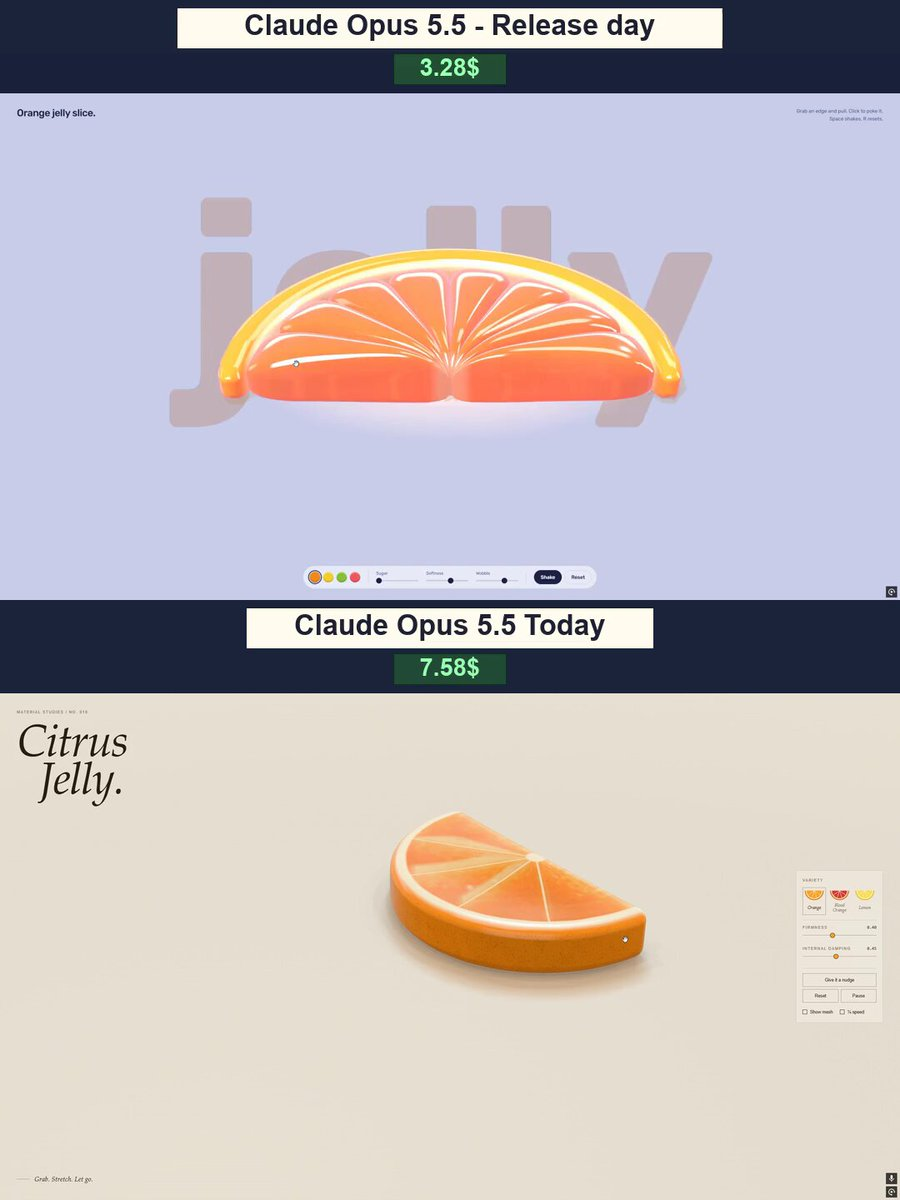
作者用一份详细的提示词(涵盖外观、物理形变和界面要求)让 Opus 5.5 用 WebGPU/WGSL 做出一个可以用手拉伸的橙子软糖果冻交互场景,并对比了新旧版本的效果和 API 成本。
提示词 / Prompt
English prompt
Create Citrus Jelly — an interactive 3D scene featuring a gummy orange slice. Everything must run directly in the browser in a single HTML file using WebGPU and WGSL shaders. Build genuine volumetric 3D geometry, not an image or a prerecorded animation. APPEARANCE A thick semicircular orange slice with vibrant orange flesh, a pale pith layer, and a firmer outer rind. Visible radial segments, thin internal membranes, and tiny bubbles. A juicy, translucent gummy material with soft highlights, light refraction, and depth-dependent color. Avoid making it look like rigid plastic or glass. Use a light cream background, soft studio lighting, and a contact shadow. Avoid overexposure. PHYSICS AND INTERACTION Let users grab any visible point with a mouse or finger and pull it. Deformation must originate at the grab point and propagate naturally through neighboring areas. The flesh should stretch and narrow under tension, while the rind offers more resistance. On release, the slice should spring back gently, with oscillations gradually settling. Use a stable soft-body simulation: a spring mesh or volumetric elastic constraints with volume preservation. Segments, membranes, and bubbles must deform with the flesh rather than separating or floating independently. Include ground collisions: the slice should squash slightly on impact and wobble afterward. Prevent instant snapping back, endless oscillation, and exploding geometry. INTERFACE A minimal editorial layout with generous whitespace. A large italic serif heading, “Citrus Jelly.”, on the left. A compact control panel on the right with Firmness and Internal damping sliders. Give it a nudge, Reset, and Pause buttons. Show mesh and ¼ speed toggles. Three color presets: Orange, Blood Orange, and Lemon. A small interaction hint: “Grab. Stretch. Let go.” All labels in English, with comfortable desktop and mobile controls. TECHNICAL REQUIREMENTS Genuine WebGPU rendering, not a Canvas 2D substitute. Generate geometry and materials in code without premade models. Use a fixed simulation timestep and constraints that prevent excessive stretching. Maintain smooth performance during grabbing, dragging, and release. Display a clear fallback message when WebGPU is unavailable. Test different grab locations, strong stretching, oscillation decay, collisions, and reset. The main priority is a convincing gummy feel. The slice should look soft, juicy, and so satisfying in motion that people want to keep stretching it.
主题与风格
探索更多图片和视频提示词 · 生成图片 · 生成视频 · 在 AI 画布中创作
相关作品
- Jelly world Arctic island: Opus vs Astra
The creator compared Claude Opus 5.5 and ChatGPT-6 Astra on the same detailed prompt to build an interactive Arctic diorama in a single HTML file with native WebGPU, preferring Opus's visuals and colors.
- OpenAI agent dots animation: Opus vs GPT-6.1
The creator compared GPT-6.1 Sol Max and Opus 5.5 by making a short animation explaining how OpenAI agents work, from a simple prompt that was not published.
- Animated website from a single image: Opus vs GPT-6.1
The creator compared Claude Opus 5.5 and GPT-6.1 Sol generating animated websites from a single image, using Higgsfield MCP access for the animation, noting Opus took longer but produced more detailed results. 原作需要参考素材;请自行准备图片、视频、音频、文档或代码库等输入。
- Jelly effect model comparison
Four AI models (Mistral Large v4, Kimi K3, GPT 6.1 Sol, Claude Opus 5.5) were each asked to recreate the famous jelly effect, with results compared in a video.
- Opus vs Astra diorama comparison (Blender)
原作需要参考素材;请自行准备图片、视频、音频、文档或代码库等输入。
- Pachinko effect: Opus 5.5 version
原作者未提供提示词,可直接把视频发给 Claude Opus/Sonnet 5.5 或者以上版本作为参考视频,可直接生成同样风格。